Why your phone overheats under sunlight
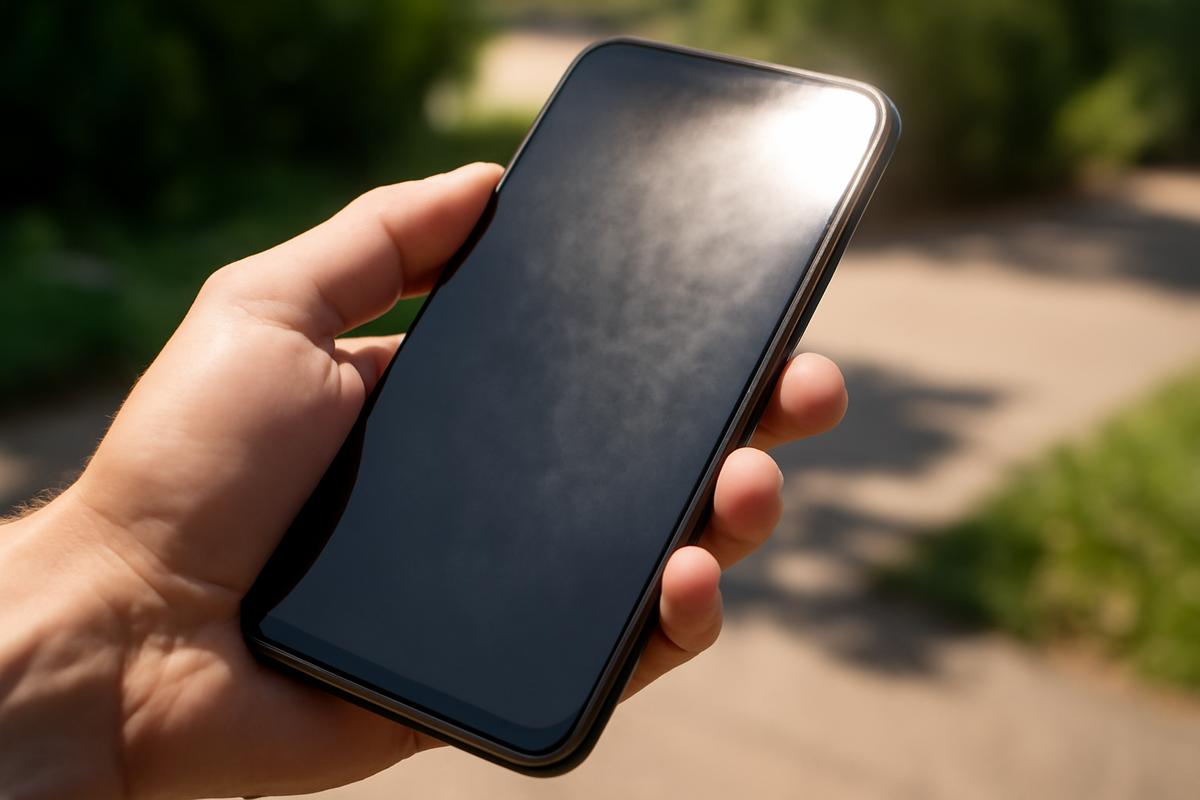
The first time you really notice it is not in a laboratory graph or a technical manual, but in the slow, uncomfortable silence of a summer afternoon. You’re sitting on a park bench or a beach towel or a hot car seat, the sun on your face, the air humming with insects or traffic. You reach for your phone to capture the moment—maybe a photo of the light streaking through tree leaves, or a quick video of waves collapsing on the shore—and the glass feels… wrong. Heavy and too warm, like a stone that’s been sitting in a fire pit. Then the screen flashes a warning: “Temperature. iPhone needs to cool down before you can use it.” Or your Android goes dim, sluggish, almost drowsy. In your hand is a device that can talk to satellites and servers an ocean away—yet it’s undone by something as simple as sunlight.
How Sunlight Turns Your Phone into a Mini Greenhouse
Hold your phone up in the sun for a moment and really look at it. The glossy black glass, the metal frame, the dark case. It’s basically a tiny solar collector. Sunlight isn’t just warm, it’s a barrage of energy—visible light, infrared radiation, ultraviolet rays—all streaming down at about 1,000 watts per square meter on a clear day. Your skin absorbs some of that. So does your phone.
The glass and dark surfaces on your device soak up this light and convert it into heat. That heat doesn’t just sit politely on the surface; it seeps inward, into the layers of your phone’s body: the display, the battery, the processor, the tiny maze of circuits etched like a city map onto silicon. The result is much like a car parked in a sunny lot. The glass lets energy in faster than it can get out, and the trapped heat begins to climb.
Unlike your body, your phone can’t sweat. It doesn’t have pores to let water evaporate and carry heat away. It relies on conduction (heat moving through its body), convection (air flowing around it), and a bit of radiation back into the environment. On a still, hot afternoon, the air around your phone isn’t very helpful. The temperature difference between the phone and the surrounding air might be tiny, so there’s not much of a gradient for heat to escape. In fact, if your phone is sitting on a black dashboard behind glass, the air around it may be hotter than the outside world. That’s when things get rough.
Inside, several components are quietly complaining. Lithium-ion batteries do not enjoy high temperatures; their chemistry gets more active, their lifespan shortens. The processor—your phone’s brain—generates its own heat as electrons race through circuits doing billions of calculations per second. Put that under strong sunlight, and you have a device receiving heat from outside while creating more from within, like a runner in a heavy coat sprinting under noon sun.
The Hidden Heat Sources You Don’t See
Sunlight is only the beginning. If you could peel away the back of your phone and watch its internals under a microscope, you’d see tiny regions glowing metaphorically hot whenever you ask the device to work harder.
Streaming a high-definition video under the sun? Your phone’s processor and graphics chip are hustling, decoding frames, managing data, talking to memory. Playing a graphic-heavy game? The chip runs even hotter, like a stressed engine on an uphill road. Using GPS navigation? Now you’re asking your phone to constantly talk to satellites, interpret signals, and keep your screen brightly lit. Add blazing sunlight on a windshield, and the temperature needle climbs quickly.
Even the bright screen you love is part of the story. When you’re in bright daylight, your phone automatically cranks up the display brightness so you can actually see what you’re doing. That display is one of the biggest power consumers in the entire device. More power means more heat. The more the sun washes out your screen, the harder your phone tries to fight it, and the hotter it becomes. It’s a feedback loop: the environment is bright, so the phone lights up, and that extra light becomes extra heat.
Then there’s wireless activity. Your phone’s radios—cellular, Wi-Fi, Bluetooth, GPS—generate heat every time they transmit or receive signals. On a hot sunny day, if you’re tethering your laptop, uploading videos, or making long video calls, you’ve basically turned your phone into a little radio tower, constantly pulsing energy through its antennas.
| Activity | Effect on Heat | Why It Matters in Sunlight |
|---|---|---|
| High screen brightness | Significant heat increase | Display works hardest in bright outdoor light |
| GPS navigation | Moderate to high heat | Constant satellite use plus bright screen in car |
| 3D gaming / AR apps | High heat spike | Processor and graphics chip both under heavy load |
| Video recording in 4K | High sustained heat | Camera, processor, and storage all active in the sun |
| Mobile hotspot / tethering | Moderate to high heat | Continuous cellular and Wi‑Fi activity together |
Indoors, your phone can usually shed this extra heat into cooler air, like a person standing in the shade with a light breeze. Under direct sunlight on a still summer day, the air is already warm and stagnant, and the sun is feeding heat into the device faster than it can shovel it out. That’s why sometimes, doing something as simple as scrolling social media or taking photos outdoors can push your phone over the edge, while the same activity indoors feels perfectly normal.
Your Phone’s Secret Survival Instincts
For all their fragility, phones are not naive. Their designers know you’re going to abandon them in cup holders, toss them on picnic tables, strap them to bike handlebars, and pull them out on mountain summits and city sidewalks. To survive that, your phone is constantly taking its own temperature.
Deep inside, tiny thermal sensors are watching the numbers rise and fall. When they see the heat creeping toward danger zones, your phone begins to defend itself—quietly at first, then more dramatically. It may dim the screen without asking, even if you manually set it brighter. It may slow down the processor, making apps feel laggy, animations choppy, games less smooth. This throttling is not a flaw; it’s childhood instincts kicking in, like pulling your hand away from a hot stove.
If the heat keeps climbing, your phone might disable features entirely. The flash on your camera might refuse to fire. The camera app might close, blaming “temperature.” Wireless charging could halt, charging speed might slow to a crawl, or the device might refuse to charge at all to protect the battery. On some phones, a full-screen temperature warning takes over, locking you out until the device cools down.
All of this is about self-preservation. Heat is one of the main enemies of electronics. It accelerates chemical breakdown inside the battery, it stresses solder joints and microscopic connections, it can warp or degrade components in subtle ways. A phone that overheats often doesn’t always fail dramatically; it ages faster, like someone spending years under harsh unprotected sun. That’s why your device would rather annoy you for a few minutes than sacrifice months of its usable life.
In the background, clever engineering tries to buy your phone more time. The internal layout is chosen so that especially hot components sit near metal frames that act like tiny heat sinks, spreading warmth over a larger area. Some phones use vapor chambers or graphite sheets inside to distribute heat like veins spreading blood through a body. But there are limits. Without fans or big metal radiators, a thin slab of glass and metal can only do so much in brutal sunlight.
Places Where Sunlight Turns Deadly
Not all sunlight is equal in your phone’s story. Some environments are gentle: a cool spring day, your phone in your pocket, only occasionally basking in direct rays. Others are traps masquerading as convenience.
The worst offender might be your car. Parked on a sunny day, a closed vehicle quickly becomes a solar oven. Light enters through the windows, is absorbed by seats, dashboard, and steering wheel, and then gets trapped. The air inside can rocket past 50°C (122°F) in less than an hour, especially on dark interiors. If your phone is left on the dashboard, nested in a cup holder, or forgotten on a seat, it’s not just seeing high air temperature; it’s also taking direct sunlight on surfaces that are already hot.
Cradles and mounts on windshields or dashboards are especially tricky. You might use them for navigation, which keeps the screen lit, GPS active, and cellular data humming while the sun blares through the windshield. It’s like asking a marathon runner to sprint with a winter coat on, inside a sauna. No surprise when the device eventually gives up and flashes a temperature warning halfway through your road trip.
Outdoor adventures carry their own risks. Think about a phone left on a rock during a lakeside picnic, a device tucked face-up into the mesh pocket of a backpack on a hiking trail, or a phone buried in sand at the beach with only its top edge catching full sun. Surfaces like sand, stone, and metal can get scorching hot; your phone resting on them absorbs that additional heat on its back while the sun attacks its front.
Even at home, balconies and window sills invite trouble. You might leave a phone charging on a table near a bright window, where the rising sun slowly slides across its surface. Charging itself warms the battery as electrons flow in. Add sunlight, and the balance tilts quickly. The device may quietly slow charging or pause it, but the stress is still there, subtle and cumulative.
What You Can Do: Shade, Air, and Smart Habits
Living with a heat-sensitive companion doesn’t mean tiptoeing through the seasons, but it does call for simple, almost instinctive habits. Start with the oldest wisdom in the book: seek shade. If you’re outside, slip your phone under a towel, a book, your bag’s flap, or at least flip it face-down to reduce direct sunlight on the glass. Putting it in a pocket or a backpack helps too, as long as it’s not crammed between heat sources like your body and another warm item.
In your car, treat your phone like something alive. Don’t leave it on the dashboard when you step away. Use a mount positioned away from the windshield where possible, like on an air vent that actually blows cooled air across the device. If your phone gets a temperature warning while navigating, give it a break: unplug it, remove the case, and hold it in front of an AC vent until it recovers.
Cases, especially thick or rubbery ones, act like jackets. They’re great for absorbing impact but not great at letting heat escape. When your phone feels hot, one of the simplest relief moves is to carefully remove the case and give the bare device some breathing room. Don’t put it in a fridge or freezer—that sudden thermal shock and the condensation it invites can be more harmful than the heat itself. Instead, aim for a shaded, room-temperature spot with air moving around it.
Then there are the things you can control from the software side. If you know you’ll be in harsh sun for a while, reduce screen brightness a notch or two manually. Close heavy apps you don’t need—games, AR experiences, intensive camera modes. Turn off unnecessary radios like Bluetooth or Wi‑Fi when you’re not using them. If you’re filming in direct sun, shoot in shorter bursts so the device can cool between clips instead of doing a single, long, punishing take in 4K under midday glare.
How Heat Quietly Ages Your Battery
Every summer, as fields brown and asphalt softens, your phone’s battery lives a slightly harder life. Lithium-ion cells are marvels of compact energy storage, but they’re not immortal. Over time, their internal materials break down, and their capacity shrinks. Temperature is one of the big levers that controls how fast this decay happens.
When a battery gets hot—especially while charging—chemical reactions inside it speed up, not all of them healthy. The protective layers that stabilize the battery can grow thicker and more irregular, like scar tissue building up. The result: the battery holds less charge, drops faster during the day, and may show more dramatic swings from 30% to 10% to 1% in what feels like moments.
Leaving your phone baking in a car or on a patio table now and then won’t destroy it overnight, but each of those episodes is like adding a wrinkle or a gray hair. Repeated exposure to high temperatures shortens the battery’s overall lifespan. Months later, when you wonder why you can’t make it from morning to evening without charging, part of the answer may be found in those forgotten hot afternoons.
Charging in direct sunlight is particularly stressful. The battery is simultaneously taking in energy (which warms it) and trying to shed heat into an environment that’s already hostile. Fast charging—those glorious 30-minute top-ups—cranks the chemical engine even harder. If possible, save those speedy charges for cooler indoor environments and avoid leaving a phone on a sunlit windowsill or car console plugged in for hours.
Why Phones Still Don’t Have Tiny Fans (Yet)
At some point, as you fan your overheated phone like a fainting friend, you might wonder why manufacturers don’t just put a teeny, tiny fan inside. Laptops have them. Game consoles have them. Why not phones?
The answer is a blend of physics, design, and human preference. Fans take up space, they make noise, they use power, and they pull dust and moisture inside devices that we now demand be water‑resistant and pocketslim. A fan would complicate durability, reduce battery size, and break that smooth, sealed feel we’ve come to associate with a modern smartphone.
Instead, phone makers chase more subtle forms of cooling. They carefully pick materials that spread heat quickly away from hot spots, sort of like veins carrying excess warmth away from vital organs. They tweak software to slow down processors before temperatures get extreme, even if users complain about “throttling.” They sprinkle sensors inside to watch for danger and build charging systems that intelligently taper power when things get too hot.
As processors get stronger and cameras get braver—filming sharper, brighter video, stacking photos in the blink of an eye—heat management becomes an ongoing tug-of-war. On one side is our hunger for more: more power, more pixels, more speed. On the other is the stubborn limit of physics, the fact that electronics always pay in heat for the work they do, and sunlight only ever adds to the tab.
Learning to Share the Shade
Walk down a city street or stand on a summer trail, and you’ll see people holding small rectangles of glass out in front of them, catching moments like butterflies. Those rectangles are doing an astonishing amount of work, packed with more computing power than the machines that once guided rockets to space. Yet, they’re still vulnerable to the same star that pulls tides and colors sunsets.
Understanding why your phone overheats under sunlight isn’t just a collection of technical facts; it’s a way of noticing how much is happening in that little object you casually toss onto a table. Sunlight becomes heat, heat becomes stress, stress becomes wear. In that chain, you have more influence than you might think. A bit of shade. A momentary pause in filming. A case removed, a screen dimmed, a phone nudged off a dashboard into a cooler nook.
Your phone doesn’t hate summer; it just wasn’t designed to bask unprotected under noon skies for long. It thrives, like most of us, in the in‑between places: patchy shade under a tree, a cool pocket, the breeze from an open window. If you treat it less like an invincible gadget and more like a small, hardworking animal—one that can easily overheat and needs somewhere cool to rest—it will quietly last longer, complain less, and keep capturing the bright, hot days you both inhabit.
FAQ
Why does my phone overheat faster in the sun than indoors?
In sunlight, your phone absorbs radiant energy directly through its dark surfaces and glass, while also generating heat from its processor, screen, and radios. Indoors, the surrounding air is usually cooler and helps carry heat away. Outside in the sun, especially on hot days, the air is warmer and often still, so your phone can’t shed heat as effectively.
Can overheating permanently damage my phone?
Occasional overheating with automatic shutdowns usually won’t kill your phone immediately, but repeated exposure to high temperatures can shorten battery life, increase wear on components, and lead to performance issues over time. It’s less about one hot day and more about a pattern of frequent overheating episodes.
Is it safe to cool my phone in the fridge or freezer?
No. Rapid cooling can cause condensation inside the phone, leading to water damage. It’s better to move the phone to a shaded, cool, dry place, remove the case if possible, and let air circulate around it naturally.
Why does my phone dim the screen when it gets hot?
The display is one of the biggest heat producers in a phone. When the device senses high temperatures, it often reduces brightness to cut down on heat output and protect internal components. This is a built-in safety mechanism, not a glitch.
Does charging in the sun harm my phone’s battery?
Yes, it can. Charging already warms the battery, and doing it in direct sunlight or a very hot environment adds extra stress. Over time, that accelerates battery aging. Whenever possible, charge your phone in a cool, shaded place, especially during hot weather.

Hello, I’m Mathew, and I write articles about useful Home Tricks: simple solutions, saving time and useful for every day.